Ryze Design Studio
Last Updated:
11 min
read

TL;DR
Framer gives teams a visual, no-code way to build responsive websites that feel closer to custom front-end work than a typical template builder. It combines design, CMS, hosting, publishing, analytics, and AI-assisted designing in one place.
For early-stage and growth-stage SaaS companies, that can mean faster launches, easier iteration, and less dependency on developers for everyday site changes. Its limits show up when you need deeper ecommerce logic, memberships, or easy export and migration, so the tradeoff depends on how complex your site is likely to become.
What Is Framer?
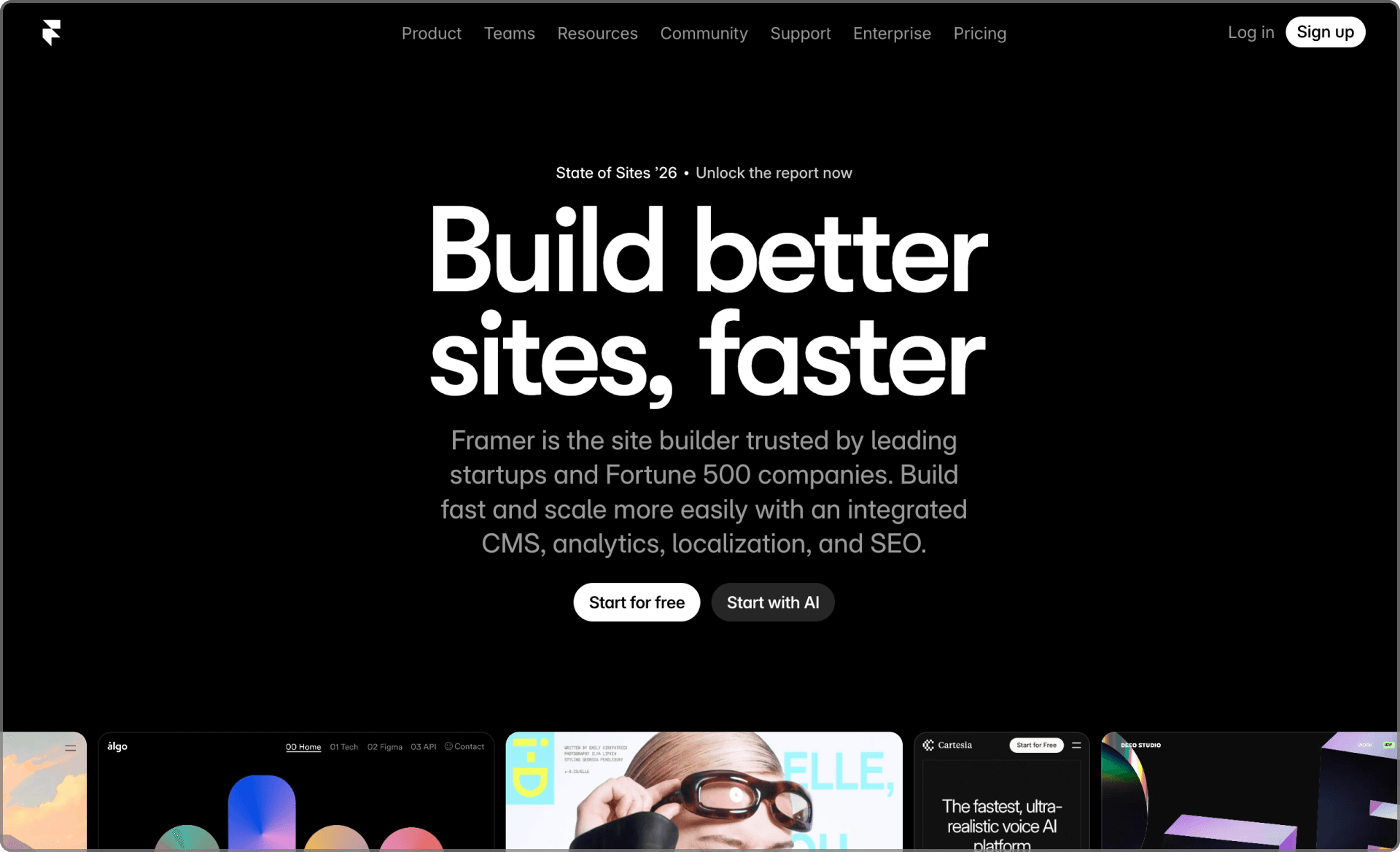
Framer is a browser-based website builder that combines visual design, no-code development, and hosting in a single platform. You design on the canvas, publish from the same environment, and manage the live site without writing the underlying HTML, CSS, or JavaScript yourself.
What makes it feel different from many older website builders is its design heritage. Framer began as a tool for interface design and prototyping, so it gives you more control over layout, animation, and interaction than a typical template-first builder. The result is a workflow that feels closer to designing a product surface than filling out a site template.
For a SaaS brand or marketing team, that makes Framer useful for marketing websites, product pages, landing pages, and content hubs. You can move from concept to live page quickly, then keep improving the site without pulling engineering into every small update.
How Framer Works
Visual Design
Framer gives you a canvas that feels familiar if you have used a modern design tool. You place frames, text, images, and components visually, then define spacing, layout behavior, and responsiveness in the same place.
That matters because you are not forcing your site into a rigid template system. You can shape the layout around your brand and message, then control how it adapts across desktop, tablet, and mobile. The result tends to feel more intentional and less generic.
Because design and build happen together, you also avoid the usual handoff gap between mockup and implementation. There is less room for the final page to drift away from what was originally designed.
No-Code Development
Framer turns visual decisions into working pages. Instead of writing code directly, you define structure, behavior, and reusable patterns through settings and properties in the editor.
You can:
Create reusable components for elements like navigation, footers, pricing sections, and CTAs
Set responsive behavior for stacks, grids, breakpoints, and constraints
Add interactions such as hover states, reveal effects, and transitions
If your team needs something more custom, a developer can still extend parts of the site. But for most marketing updates, landing page changes, and CMS work, non-technical team members can make progress on their own.
Web Hosting
Framer includes hosting, so the site does not need a separate deployment setup. You connect your domain, publish, and the platform handles the serving layer behind the scenes.
That removes a lot of operational work. You do not need to manage hosting accounts, SSL certificates, or build pipelines for a typical marketing site. Framer also handles performance tasks like asset delivery and CDN distribution at the platform level.
For a lean SaaS team, this is one of the practical advantages. It keeps the focus on messaging, conversion, and content instead of infrastructure chores.
Instant Publish
Once a page is ready, you can publish it immediately. Framer handles the technical side of turning those edits into a live update.
You get:
Draft and live versions of pages
Preview links for review and approval
One-click publishing when changes are ready
This makes iteration easier. A team can update copy, launch a campaign page, or test a new section without waiting for a traditional release cycle.
Advantages of Using Framer
Seamless Design to Development Workflow
One of Framer’s biggest strengths is that the design environment is also the production environment. You are not designing in one tool, then rebuilding the same page somewhere else.
That removes a common source of friction. Teams spend less time translating designs, fixing spacing inconsistencies, or debating whether the built version really matches the original file.
For SaaS companies that revise positioning often, launch new pages regularly, or run frequent campaigns, that tighter loop can save a surprising amount of time.
No-Code Responsive Web Development
Framer gives you visual controls for how layouts should behave across screen sizes. You can define stacking, alignment, wrapping, and spacing rules without dropping into CSS.
That matters because responsiveness is not optional. Buyers view SaaS sites from laptops, tablets, and phones, and weak mobile behavior makes even a strong product look careless. Framer reduces that risk while still giving you enough control to make the layout feel deliberate.
You get the speed of no-code, but with more nuance than many simpler builders.
Easy to Use Built-In CMS
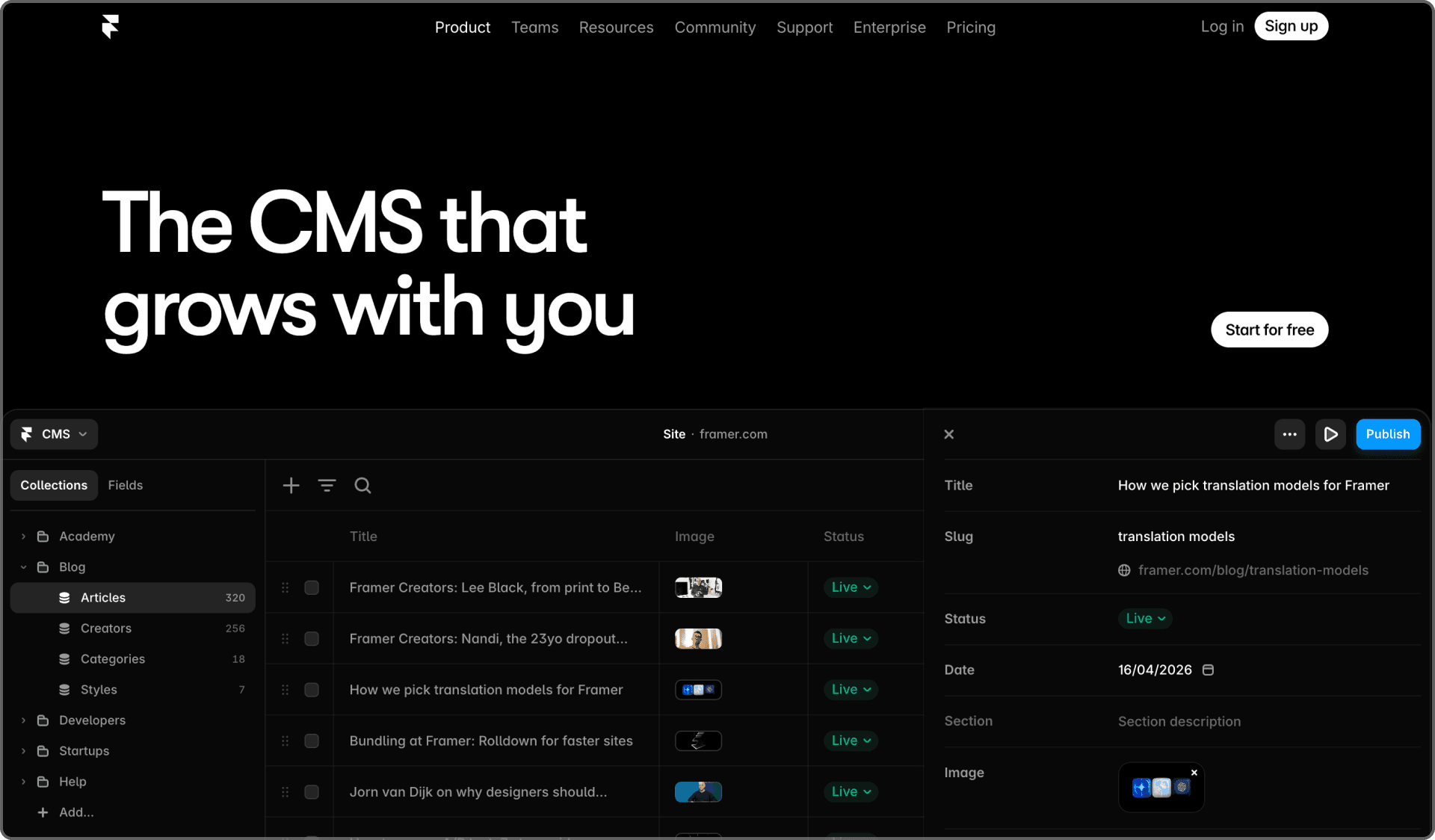
Framer includes a built-in CMS for structured content such as blogs, resources, case studies, or simple documentation. You create collections and fields, then connect them to page templates./
For example, you might create collections for:
Blog posts
Customer stories
Feature pages
Help center articles
Once those templates are set up, new entries follow the same layout and styling automatically. That keeps the site more consistent as content grows, and it makes publishing easier for marketers and editors.
AI Powered Site & Content Generation
Framer includes AI features that help create starting points for pages, sections, and content. These tools are most useful at the draft stage, when you need momentum more than polish.
The real value is speed. Instead of starting from a blank canvas, you get a workable first pass that can then be shaped around your brand, offer, and audience. That is especially helpful for founders and small teams juggling many priorities at once.
The AI does not replace strategy or editorial judgment. It reduces friction at the beginning.
Dynamic Data Collections
Dynamic collections let you connect structured data to reusable templates. You define the fields once, then Framer populates those templates automatically wherever the collection is used.
This is useful for:
Repeating content like pricing tiers, FAQs, or feature grids
Directories such as integrations, partners, or event listings
Content libraries where the structure stays stable while the entries change
That approach saves time and reduces inconsistency. You update the source data, and the site reflects the change across every connected instance.
On-Page Content Editing
Framer makes it easy to edit content directly in the page layout. You can click into text and visuals where they appear and update them in context.
That is a practical advantage for teams that do not want every change routed through a designer or developer. A marketer can refine copy, swap an image, or update proof points while seeing exactly how the finished page looks.
It lowers the cost of iteration, which is often what turns a decent page into a stronger one.
Advanced Animations and Interactions
Because Framer came out of a prototyping background, it handles motion and interaction better than many no-code tools. You can build polished transitions and small interaction details without writing front-end animation code.
That might include:
Scroll-based motion
Hover interactions that add emphasis
Transitions that make page flow feel more considered
Used well, these details can improve how the site feels. They can guide attention, support storytelling, and make the product seem more refined. Used badly, they become decoration. The tool gives you the option. Judgment still matters.
SEO & Performance Optimization
Framer supports the practical SEO basics that most marketing sites need. You can manage titles, descriptions, alt text, open graph data, and URLs, while the platform handles a good share of the performance groundwork.
That does not replace content strategy. You still need solid information architecture, keyword targeting, internal linking, and useful content. But Framer usually does not get in the way of that work, which is an important distinction.
For SaaS teams relying on organic discovery, it is helpful to have both flexibility and a reasonable technical baseline inside the same platform.
Built-in Advanced Web Analytics
Framer includes built-in analytics, which gives teams a simple way to understand how the site is performing without assembling a full reporting stack on day one.
You can monitor page views, traffic sources, and behavior patterns across the site. That helps you see which pages attract attention, where users drop off, and which areas might need stronger copy or structure.
As your setup grows, you can still layer in other analytics tools. Framer’s own analytics are useful because they give you an immediate baseline.
Real-time Collaboration
Framer is web-based and collaborative by default. Designers, marketers, and founders can work in the same project together, comment on changes, and review pages in real time.
That removes some of the usual back-and-forth around static files and feedback loops. A page can be reviewed, adjusted, and approved in a much tighter cycle.
For distributed teams, that speed is not just convenient. It changes how quickly decisions can actually turn into published work.
Instant Staging & Publishing
Framer’s preview links make it easy to share work before it goes live. Teams can review the current version, give feedback, and approve changes without a separate staging setup.
In practice, this gives you much of the benefit of staging and production without extra infrastructure. It is especially useful for campaign launches, homepage revisions, and pricing updates where review matters but speed still matters too.
The workflow is simple enough that teams are more likely to use it consistently.
Rapidly Growing Framer Marketplace
Framer’s marketplace gives you access to templates, components, and site patterns created by other designers and developers. That can shorten the path from blank project to usable website.
For SaaS teams, this is helpful because many of the needed patterns are familiar: feature sections, pricing layouts, CMS blogs, comparison pages, resource hubs. Starting from a strong base can save a lot of time, especially early on.
You still need to shape the result into your own brand. But a good starting system is often better than starting from nothing.
If your main priority is shipping a polished, high-conviction marketing site fast, Framer is often a strong fit, especially in the earlier stages of a SaaS company.
Framer Use Cases
Personal Websites
Framer works well for founders, operators, and creators who want a personal website that feels more designed than a basic profile page. It gives enough control to express point of view without needing a custom-coded build.
That makes it useful for founder brands, speaker pages, essays, and lightweight personal publishing.
Portfolio Websites
Framer is a strong fit for portfolios because presentation quality matters there. Motion, layout, and pacing all affect how the work is perceived, and Framer gives more room to shape those details well.
Startup Landing Pages
Landing pages are one of Framer’s clearest use cases. Teams can launch focused pages for:
New features
Paid campaigns
Waitlists and beta signups
Because the editing workflow is fast, Framer suits experimentation. You can revise messaging, adjust proof, and refine calls to action without turning every page change into a project.
Small Business Websites
Framer also works well for small business sites where the main need is a polished web presence rather than deep application logic.
Agencies, consultants, service firms, and local businesses can often get what they need from Framer, provided ecommerce or membership complexity is not central to the site.
Marketing Websites
This is where Framer tends to make the most sense for many companies. It works well for:
Homepages that communicate positioning clearly
Product pages tied to use cases and features
Pricing pages that need regular updates
Resource libraries, event pages, and webinars
As the company grows, the site can expand with new sections and collections without needing to move platforms immediately.
Blogs, Directories, and Documentation Websites
Framer can also support blogs, simple directories, and lightweight documentation through its CMS and collection system.
It works well for content such as integration listings, partner pages, knowledge base articles, or getting-started resources. If your docs later require deep search, versioning, or developer-focused workflows, you may eventually want a specialized docs platform. But early on, Framer can cover a lot of ground.
Some Limitations
Ecommerce Capabilities
Framer is not built as a full ecommerce platform. It can support simple external checkouts and lightweight purchase flows via plugins and third-party integrations, but it is not the right tool for large catalogs or advanced commerce logic.
If you need to:
Manage a large product catalog
Support complex pricing, bundles, or promotional logic
Run a more sophisticated self-serve commerce experience
Then, you will probably reach the edges of what Framer handles comfortably. For many B2B SaaS sites, that is acceptable. The main site sells the product, while billing and product access live elsewhere. But if ecommerce is central, this limitation matters.
Membership & User Accounts
Framer does not natively offer a full membership or user account system. You can connect third-party tools for lighter gating and community use cases, but the platform itself is not built around logged-in experiences.
If your site needs member dashboards, gated education, or a proper account layer on the marketing domain, you will likely need custom additions or another platform for that function.
For many SaaS companies, this is less serious because the actual product handles authentication, while the site stays public. Still, it is a real boundary.
No Export & Migration
One of the most important tradeoffs is portability. Framer is a hosted system, and moving away from it later is not especially simple.
That means:
Rebuilding elsewhere is likely to be a manual effort
Framer should be treated as a serious platform choice, not a throwaway staging tool
Vendor fit matters more because migration is not frictionless
For some teams, the speed gained today is worth that future cost. For others, especially those with stricter long-term technical requirements, it may be a reason to look elsewhere.
Conclusion
Framer gives SaaS teams & Design agencies a modern way to build marketing websites with strong visual control, faster publishing, and less reliance on engineering for routine site work.
Its advantages are clear: a tighter design-to-live workflow, responsive editing without code, a built-in CMS, polished interactions, solid platform-level performance, analytics, and collaborative publishing. Its limits are also clear: ecommerce is shallow, memberships are not native, and migration is harder than many teams would like.
If your main goal is to launch and improve a strong marketing site quickly, Framer is often a very good fit. If you already know your site will need heavy commerce logic, deep account features, or easy portability later, it is worth planning for those constraints before you commit
Fast. Flexible. Polished.
We design and build Framer websites that look sharp, move smoothly, and give your team a faster way to launch and manage pages.